Hol kapható
Tanácsra van szüksége? Jólképzett viszonteladóink örömmel válaszolnak egyszerű vagy bonyolult kérdéseire.
Legközelebbi viszonteladónk

VRM Portal: video, faster and more…

Good afternoon,
Since the last update on February 28th, there have been many improvements to the VRM Portal.
Improved performance. The database has been moved to a better hosting provider so the VRM Portal is now much faster, and more stable throughout the day. This change did have an unfortunate side effect, causing the VRM Portal to be down for 8 hours last night. The good thing is that no data was lost. Such down time should obviously never happen, and it is taken very seriously. The 24/7 monitoring and response team that was already in place should have noticed the problem, but they didn’t. Measures and fail-safes are being taken to prevent this in future. My apologies for any inconvenience caused.List view. There are more and more users that manage tens or even hundreds of sites. Two new features have been added to make that easier. The first one is to see a list of all sites, and their alarm status, instead of the tile view. Toggle between the two views with the slider on the right: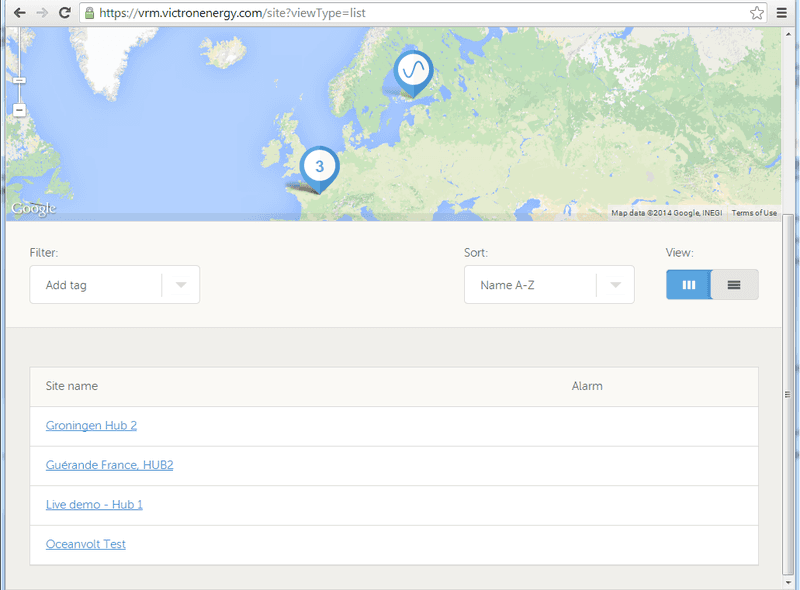
This list view will be further improved in the near future, by adding some columns with for example battery state of charge and voltage. The second improvement is filtering with tags. In this example I have arranged my sites in three groups, depot North, South and East. Adding a tag can be done on the settings page:
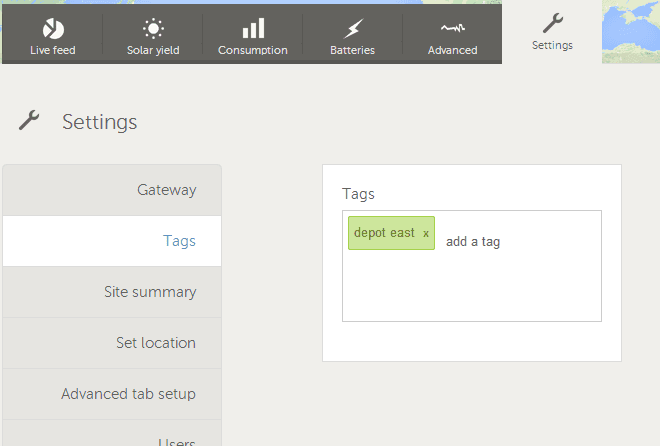
After that, filter the sites you want to see by selecting one or more tags on the home page:
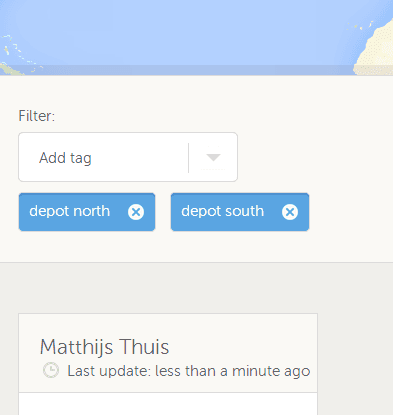
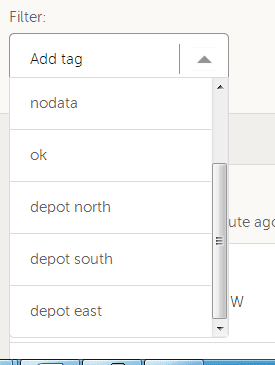
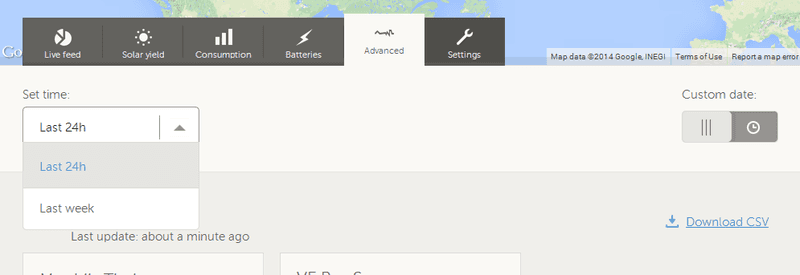
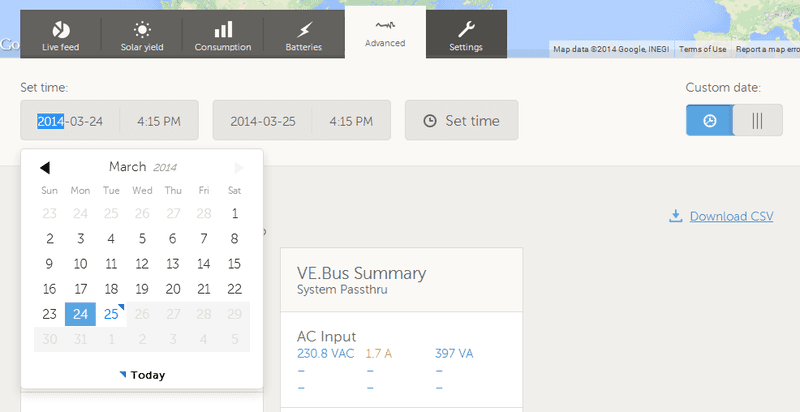
And this is the advanced version:
Say you have a rental yacht or RV/motorhome and wish to ensure your customer stays within a certain area. You can now do this and receive an email alarm if the agreed boundaries are broken. Or you may simply want to set an area with a destination, to send an email to friends and family to let them know when you have arrived. Handy when traveling alone. A blue geofence shows the area as active and a grey geofence shows it as inactive.
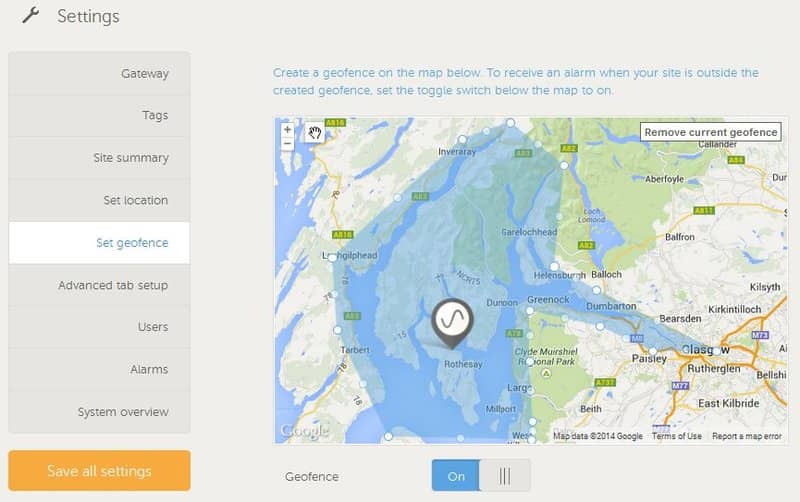
The above shows an active Geofence using an irregular shape. You can also use a simple circle or rectangle.
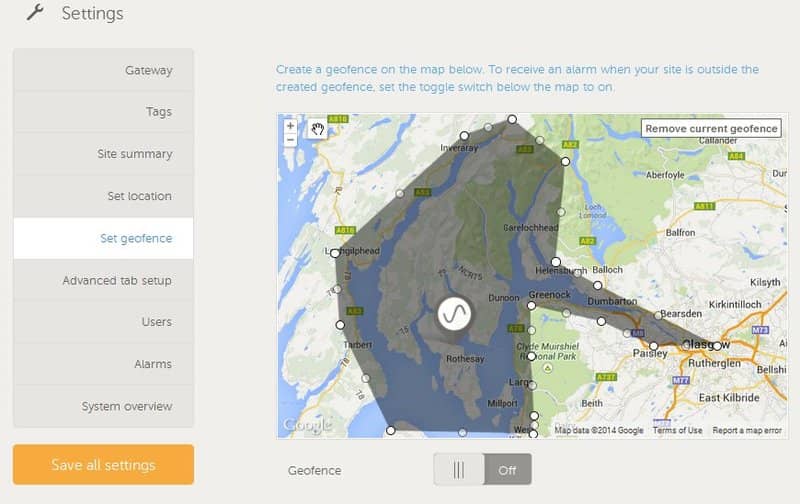
Grey shading above denotes an inactive Geofence that can be switched on and made active when ready.
To sum up. Geofence will generate an alarm + email when:
Also it will cancel the alarm (and send a short email) when there is data coming in that indicates that unit is inside the geofence, whilst an alarm was active.
VRM Bug fixes and small improvements:That is all for now, wish you a good morning, afternoon, evening or night!
– Matthijs.
Tanácsra van szüksége? Jólképzett viszonteladóink örömmel válaszolnak egyszerű vagy bonyolult kérdéseire.
Legközelebbi viszonteladónk
Konkrét támogatásért, javítási vagy garanciális ügyekben nézze át a támogatási anyagainkat vagy keresse meg azt, akitől a terméket vásárolta.
Támogatás
Olvasson többet iparágvezető, 5 éves standard garanciánkról és globális javítószolgáltatásunkról.
Garancia


Adatvédelmi szabályzat
Süti beállítások
Sütik (cookie) használata
Felhasználási feltételek
Jogi nyilatkozat
©Victron Energy 2026
